One of the most commonly misscripted elements in performance testing is web authentication. I’m not talking about integrated authentication like SPNEGO, I’m talking about a simple HTTP POST with authentication details followed by the sites authenticated home page. The problem is that the user experiences a two step process.
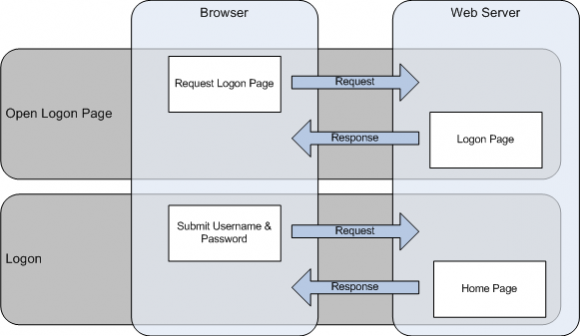
In reality the process is actually 3 steps, with the middle step is transparent to the user. Because it is transparent, tools like LoadRunner will attempt to represent the end-user experience and record only two steps. In most cases, this is the desired end-result. The following diagram shows the three steps that occur.
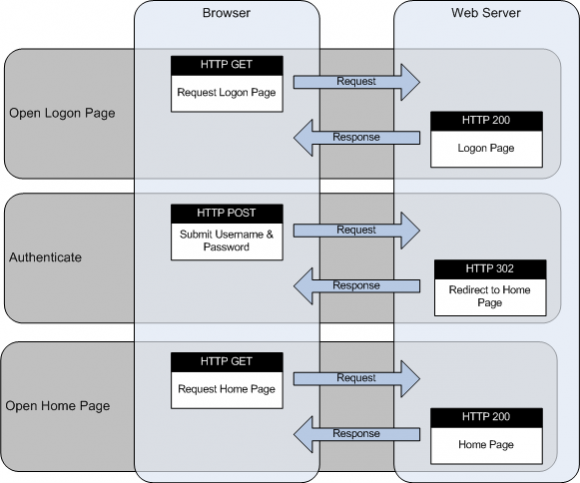
The issue with recording Logon like this, is that it does not allow you to separate the authentication time from the loading time of the subsequent page. Its a simple process to separate the timing of the authentication and the subsequent page load, and the following code snippet shows you how to do it in LoadRunner.
Action() {
	lr_start_transaction("Open_Logon_Page");

	// Validate Logon Page
	web_reg_find("Text=Lost your password?", LAST);

	// Open Logon Page
	web_url("logon_page",
                "URL=http://www.headwired.com/login.php",
                "TargetFrame=",
                "Resource=0",
                "RecContentType=text/html",
                "Snapshot=t1.inf",
                "Mode=HTML",
                LAST);

	lr_end_transaction("Open_Logon_Page", LR_AUTO);

	// Disable HTTP Redirects to time Authentication
        web_set_option("MaxRedirectionDepth", "0", LAST);

	lr_start_transaction("Logon");
	lr_start_sub_transaction("Authenticate", "Logon");

	// Find Authenticated URL
	web_reg_save_param("redirect_url", "LB/ic=Location: ", "RB=\r\n", "Search=Headers", LAST);

	// Submit Authentication
	web_submit_data("web_submit_data",
                "Action=http://www.headwired.com/login.php",
		"Method=POST",
		"TargetFrame=",
		"Referer=",
		ITEMDATA,
		"Name=log", "Value={USERNAME}", ENDITEM,
		"Name=pwd", "Value={PASSWORD}", ENDITEM,
		"Name=redirect_to", "Value=http://www.headwired.com/dashboard/", ENDITEM,
		"Name=testcookie", "Value=1", ENDITEM,
		"Name=wp-submit", "Value=Log In", ENDITEM,
		LAST);

	lr_end_sub_transaction("Authenticate", LR_AUTO);

        // Enable HTTP Redirects to time Authentication
        web_set_option("MaxRedirectionDepth", "10", LAST);

	lr_start_sub_transaction("Authenticated_Page", "Logon");

	// Verify Authenticated Page
	web_reg_find("Text=Dashboard", LAST);

	web_url("authenticated_page",
                "URL={redirect_url}",
                "TargetFrame=",
                "Resource=0",
                "RecContentType=text/html",
                "Snapshot=t1.inf",
                "Mode=HTML",
                LAST);

	lr_end_sub_transaction("Authenticated_Page", LR_AUTO);
	lr_end_transaction("Logon", LR_AUTO);

         return 0;
}


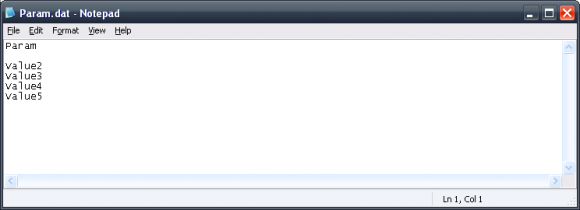
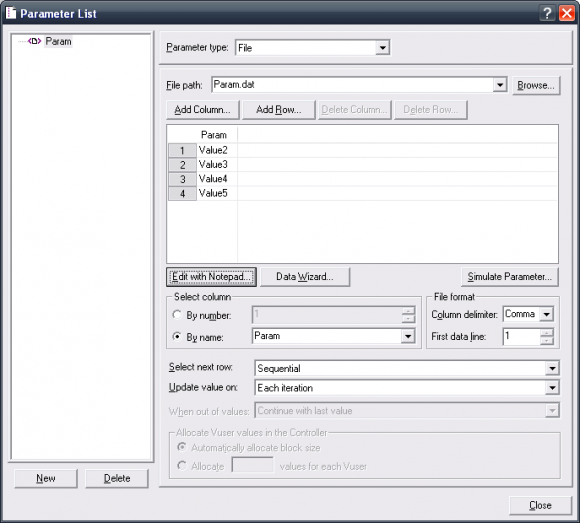

 Here is a familiar situation. Thousands of potential accounts for use in performance testing, some of which work, some don’t. In this example, it’s the login credentials. This usually requires you to run through your test data one by one to see which accounts work, and which don’t, removing the accounts that error. By
  Quick tip: If you find VuGen is running slowly, it’s probably because you have the parameters data file open.